
macOS app · Released
Shots
A native macOS menu bar shelf that keeps recent screenshots one click away and draggable as real files.
- Status
- Released
- Stack
- Swift, SwiftUI, AppKit
The problem
Nobody takes a screenshot to keep it. You take a screenshot to put it somewhere else: a Slack thread, a bug report, a Figma file, an upload field. macOS makes the capture instant and the delivery slow. The floating thumbnail evaporates if you hesitate, and then you are digging through a cluttered Desktop, sorting Finder by date, dragging from a window you had to arrange next to the one you care about.
Shots is the missing shelf. Click the menu bar icon, your latest screenshots are right there as a stack, and you drag one, or several, straight into anything that accepts files.
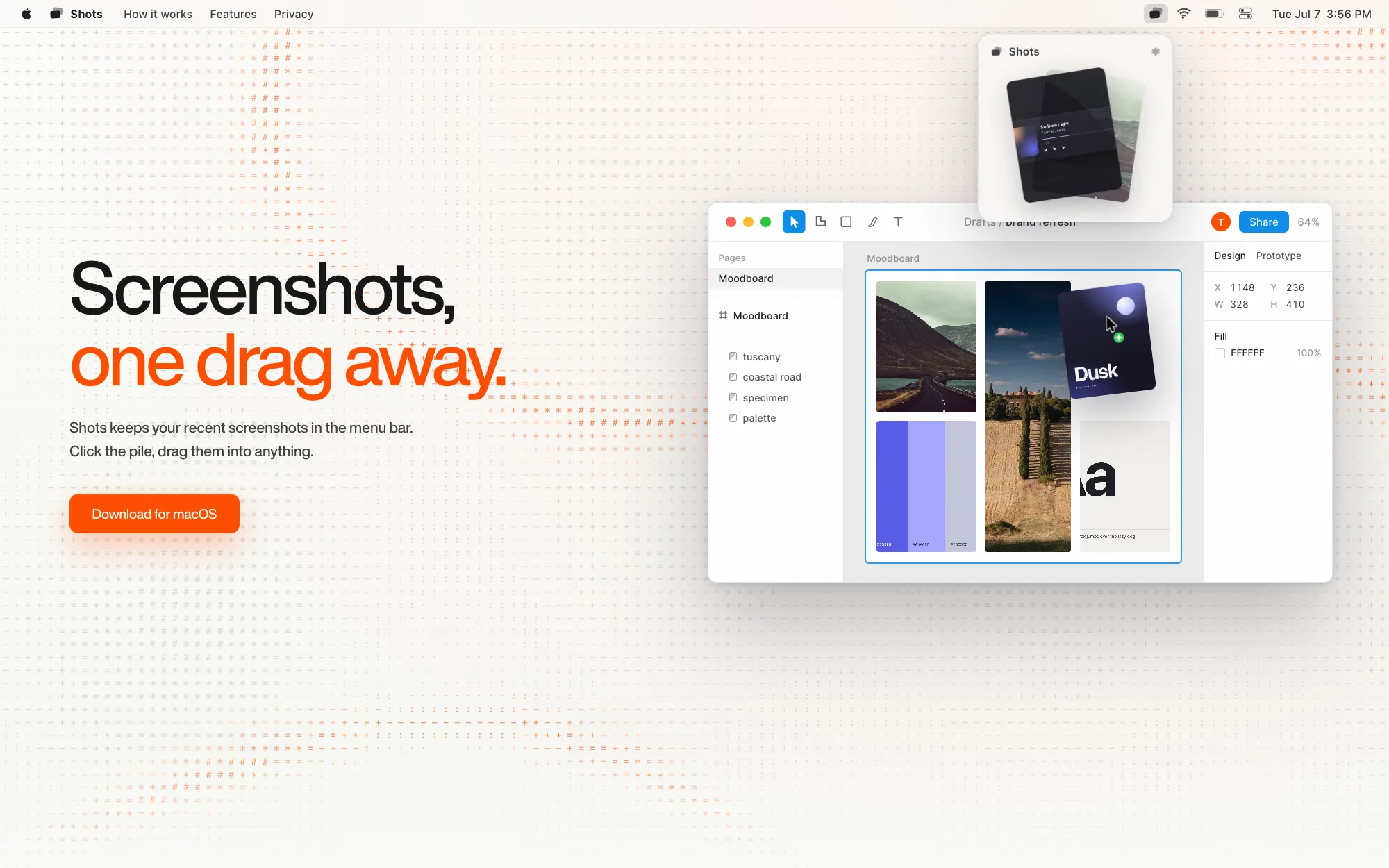
The product site is live at shots.mccormickdesigns.com, and it demos the interaction instead of describing it: the page chrome is the macOS menu bar, and the hero plays the click-the-pile, drag-it-out loop.
What’s working today
The app is functional end to end. It observes screenshots wherever macOS saves them, so your existing capture habits and existing screenshots work on first launch, and it never intercepts the system screenshot mechanism. Multi-select works. Drags land as genuine file attachments in Safari upload fields, Slack, Mail, Figma, and native apps. It’s native Swift with zero dependencies, local-only: no network, no analytics, no database. The filesystem is the source of truth.
It ships as a signed, notarized Developer ID build, downloadable from the product site.
The two decisions that make it work
This app is one interaction, so the entire product lives or dies on that interaction’s engineering.
The shelf is a non-activating NSPanel. A transient NSPopover dismisses itself the moment the app deactivates, and dragging a file into another app causes that deactivation. The popover closes mid-drag, tears down the drag source, and silently fails the drop. An NSPanel keeps the shelf open without stealing focus from the receiving app, while event monitors handle dismissal manually. Every dismissal path first checks whether a drag is in flight. Without that check, drag-out fails only when the drop target is slow, and only sometimes.
Drags carry real file URLs through NSDraggingSession. SwiftUI’s .onDrag cannot express a proper multi-file drag, and receivers treat promised data as second class. The files already exist on disk, so each drag is an AppKit session where every file has its own dragging item and the NSURL itself is the pasteboard writer. Finder uses the same pasteboard representation, so a three-file drag arrives as three genuine attachments instead of one blob.
Why it’s on this page
Shots is small on purpose. The first press-and-drag has to work without a prior focusing click, the panel has to survive deactivation, and the click-versus-drag threshold has to feel like the Finder’s.