
macOS app · Released
Keyframe
A native macOS app that turns the original Figma Creator Micro from a desk ornament into a visual automation deck.
- Status
- Released
- Stack
- Swift, SwiftUI, Raw HID / VIA
The desk ornament problem
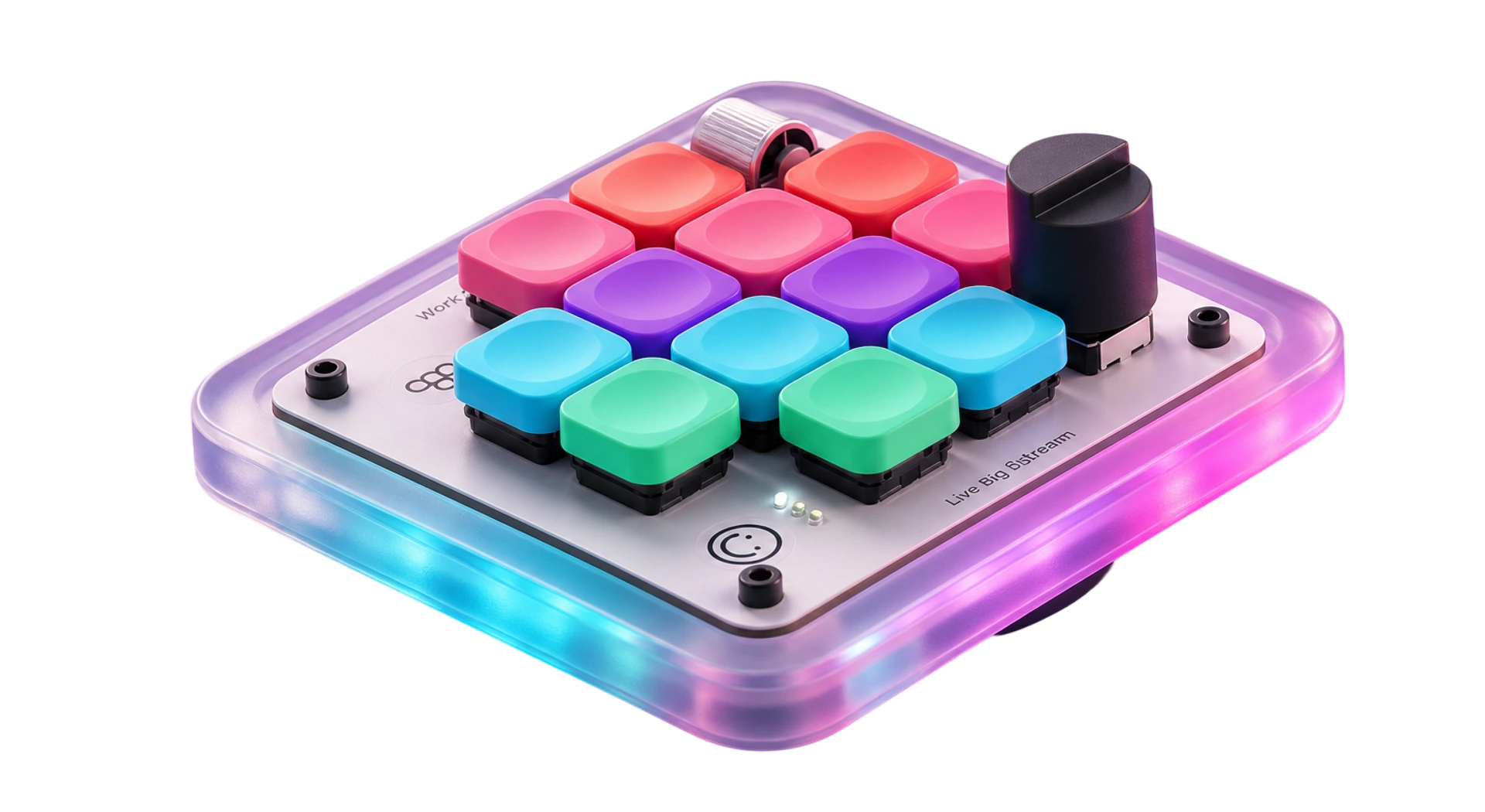
The Creator Micro is exactly the kind of hardware designers buy on sight: twelve colored keys, two dials, touch controls, per-key lighting, and a glowing acrylic case. The object invites experimentation. Its setup software does the opposite.
Changing one key in VIA means understanding matrix positions, QMK keycodes, encoder directions, and layers. That is a remarkable amount of ceremony for a tiny keyboard. Mine spent more time looking good on the desk than doing anything useful.
Keyframe is the software I wanted when I plugged it in: select the control you recognize, choose what it should do, and apply the change.
Make the hardware the interface
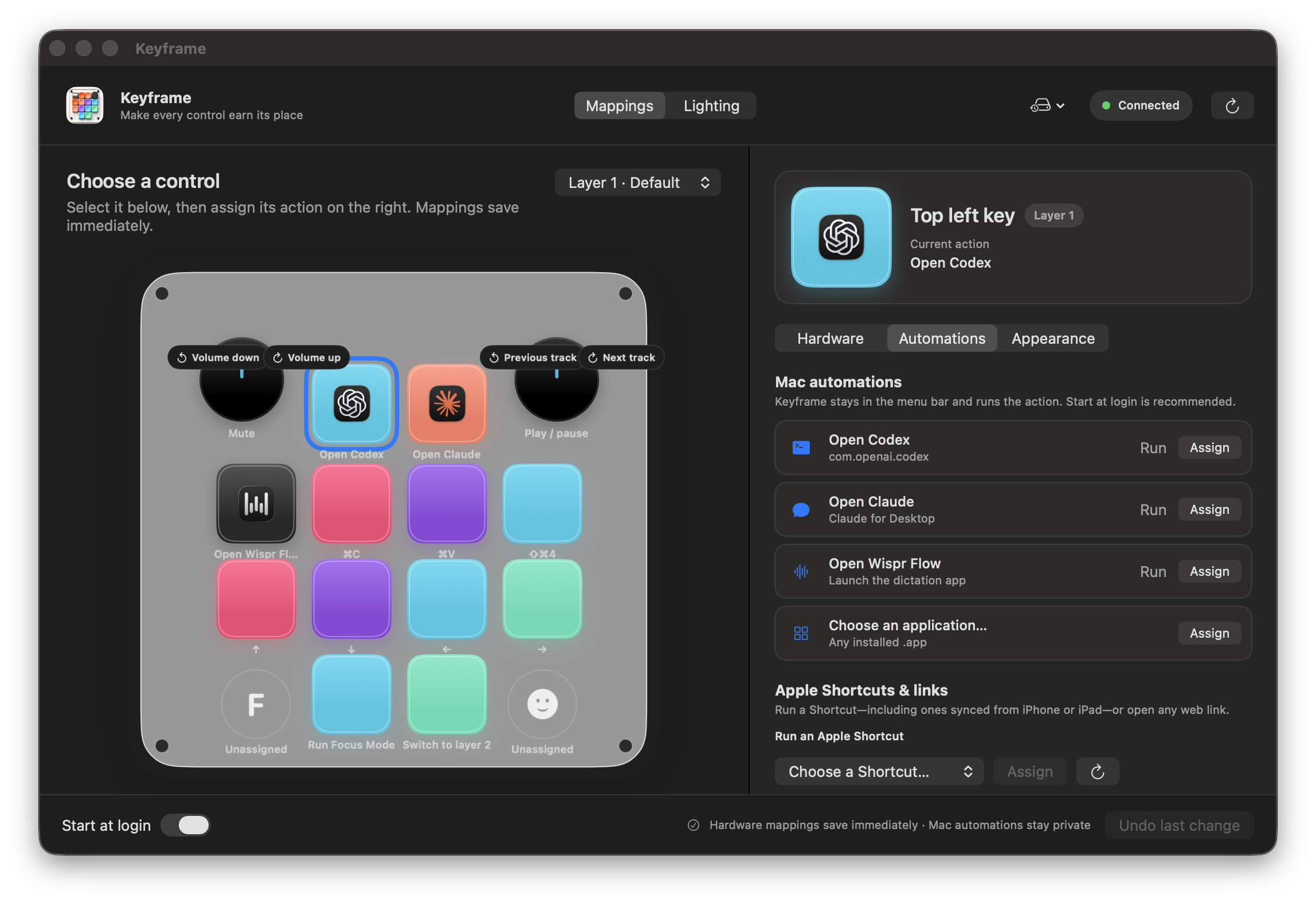
The physical keyboard became the information architecture. Every key, dial direction, dial press, and touch control appears where it exists on the device. Selecting one opens three focused groups:
- Hardware for shortcuts, media controls, dial behavior, and layer changes;
- Automations for opening apps and URLs or running Apple Shortcuts;
- Appearance for key colors, installed-app icons, and custom artwork.
Designers work from the physical controls they already recognize, without learning matrix positions or keycodes or keeping a tutorial open in another tab.
Two kinds of actions, one honest interface
Keyboard shortcuts, media controls, dial actions, and layer changes save directly to the hardware. They keep working when Keyframe is closed and travel with the keyboard to another computer.
Apps, URLs, and Apple Shortcuts cannot live inside keyboard firmware. Those stay private on the Mac and run through Keyframe’s menu-bar helper. The app starts at login, listens for the assigned trigger anywhere in macOS, and makes the boundary clear instead of pretending the keyboard can store an application.
That native helper is why this became a Mac app instead of the account-free WebHID editor I first investigated.
Reverse-engineering the useful parts
The app communicates with the keyboard through its existing Raw HID/VIA protocol. I translated the 32-byte reports into a narrow Swift layer for:
- discovering and verifying the exact USB device;
- reading and writing all four onboard layers;
- encoding standard and extended VIA keycodes;
- controlling underglow, key backlight, effects, speed, and indicators;
- validating JSON backups before restore;
- reading every mapping write back from the device.
The safety perimeter is deliberately small. Keyframe targets one known USB identity and layout. It does not expose firmware flashing, bootloader entry, EEPROM reset, or any command that could turn a difficult setup into a dead keyboard.
The lighting bug was a product bug
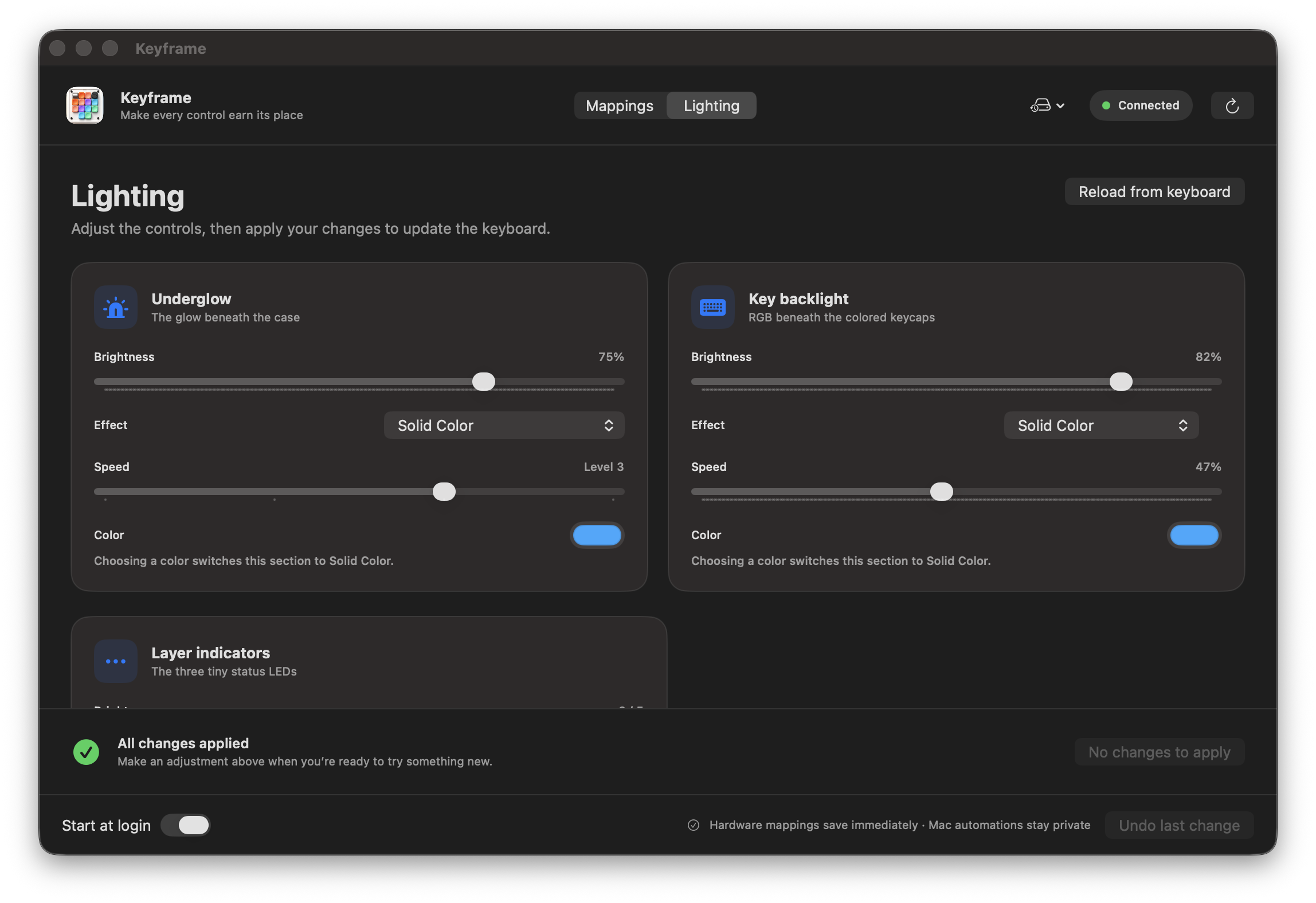
Early builds made lighting feel unreliable. The factory firmware quantizes some values and only persists changes after an explicit save operation. The first interface treated the edited value as if it were already on the device, then warned when the read-back value differed by a tiny amount.
The finished workflow separates pending edits from applied state, gives Apply and Discard one clear meaning, and compares only values the firmware preserves. The fix was partly protocol work and partly interaction design.
Built with AI, tested against the real object
AI helped research VIA, QMK, WebHID, and Apple’s automation boundaries; translate device reports into Swift; explore interface directions; diagnose firmware-specific behavior; review tests; and build the release and launch systems.
The useful loop was physical: inspect the real system, build the smallest testable layer, exercise it against the connected keyboard, bring the failure back into the next iteration, and keep narrowing until the product and implementation agreed.
Four days after the first connected-device investigation, Keyframe shipped as a universal, Developer ID-signed, notarized macOS app with an open-source repository and a public launch site.
Keyframe is an independent community project. It is not affiliated with or endorsed by Work Louder or Figma. It supports the original 2023 Creator Micro, not Creator Micro 2.